Most of the major AI chatbots offer settings that keep your data private. Adjusting those settings is a good step to take—but don’t assume a setting is a guarantee of complete privacy. (Photo by Jason Dent on Unsplash.)
April 22, 2026 — If you’re using an AI chatbot like ChatGPT, Claude, Gemini, or Grok, you may have grown comfortable asking the bot about more private, personal issues.
Should I end this relationship? What could be causing this rash? Am I falling into depression? Is my family member a narcissist? What are some signs that job layoffs might be coming?
These are innocent questions. But you may want to keep them private. And once you enter them as a chatbot prompt they are stored by the AI model and used to build a profile of you as a consumer and a person. Some tech companies even frame this as a benefit. Meta advertises its Meta AI bot as “the personal AI that understands you.”
There are good reasons to keep a chatbot from building the digital equivalent of an FBI file on you, though.
Reasons to keep your chatbot prompts private
Tech companies aren’t in the business of offering free information and advice simply for the common good. They’re in the business of monetizing you by capturing your data.
By capturing your chatbot prompts, AI companies develop a consumer profile that they use to target ads aimed at your personal concerns. (“Feeling down? Try this mood booster!”) And the more they know about you, the better the chatbot can keep you engaged and addicted.
Meta is already using Meta AI chatbot prompts to target users with ads on Instagram and Facebook. OpenAI has announced plans to run ads on ChatGPT, which will likely be targeted to users based on their chatbot prompts.
Ad targeting may be the least risky outcome. Consider:
We live in a world where data breaches are a regular occurrence.
When AI companies train their products on your data, nobody knows how well they edit out names, faces, addresses and other personal information, or how often they leak back out in AI answers.
AI agents, which complete tasks on your behalf, can fall into traps or go rogue and do real damage with your credit card, passwords or personal information.
Lawyers and governments can request your chats as evidence or leads.
Chatbots will remember things you’d rather they forget, like a private medical concern. And bots pretending to be a friend that knows you can manipulate people and even fuel mental illness.
‘incognito chat’ for temporary privacy
Some (but not all) of the most popular chatbots have an incognito mode that works much like private mode in a web browser. Incognito prompts and responses aren’t saved to your user history or used to train AI models.
Use it.
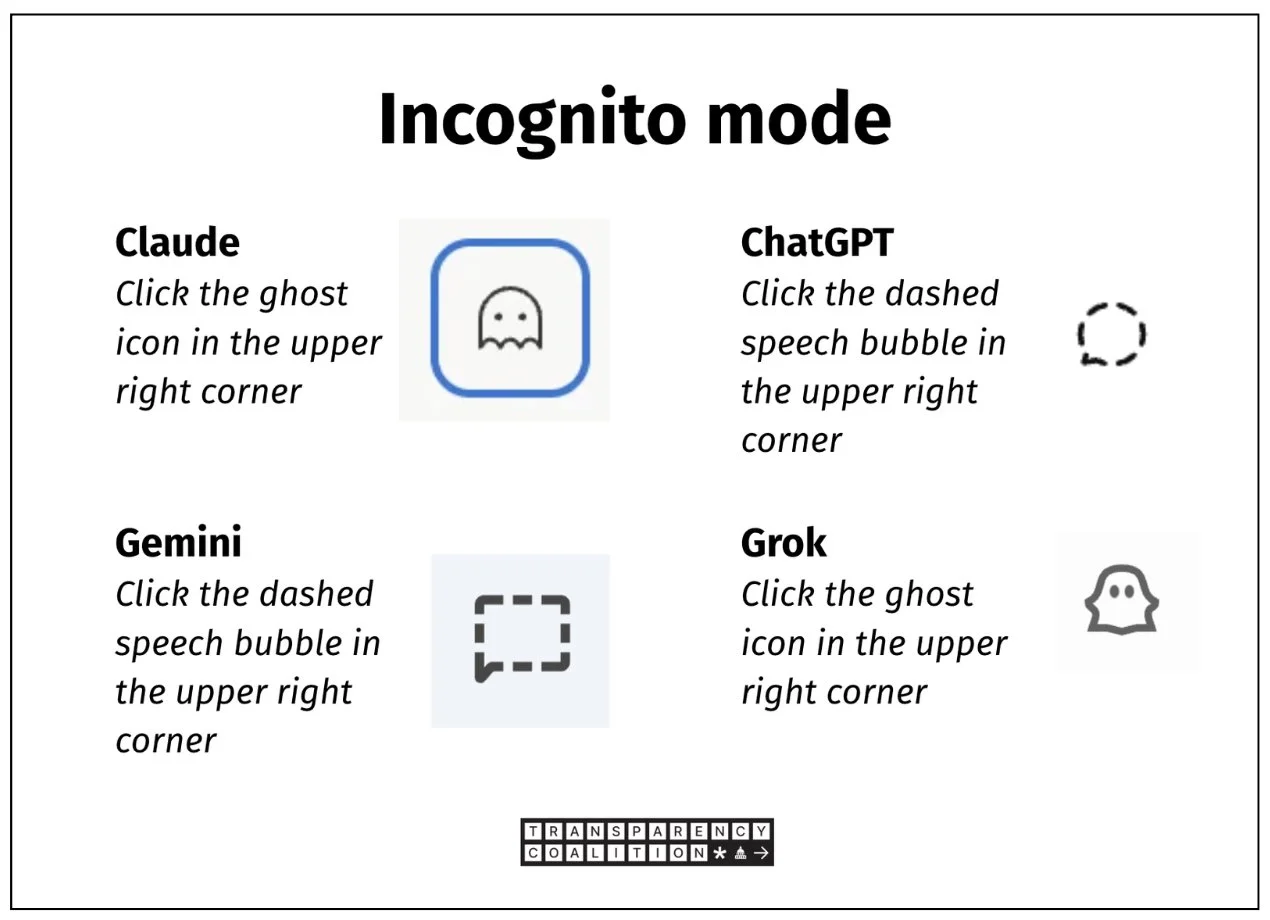
Not all chatbots offer one-click incognito mode. With the chatbots listed above, the incognito icon will only appear after a user has signed into their account.
Claude: Click on the Pac-Man ghost icon in the upper right corner. That should immediately switch Claude to incognito mode.
ChatGPT: Click on the dashed speech bubble in the upper right corner. That will switch to incognito mode. You can also get there directly with this Incognito page.
Google Gemini: Click on the rectangular dashed speech bubble in the upper right corner. That will switch to incognito mode. Google advises: “Temporary chats don't appear in Recent Chats and aren't used to train models or personalize your experience. To help respond to you and keep Gemini safe, temporary chats are saved for 72 hours.”
Grok: Click on the ghost icon in the upper right corner. Grok makes it easy by adding the word Private next to the ghost. The screen won’t change, but the ghost will turn from black to color.
Meta AI: Meta does not offer an incognito mode.
Microsoft Copilot: Microsoft does not offer a one-click incognito option.
Note: With all of these chatbots, we found that incognito mode was not offered unless the user was signed in. That doesn’t require you to pay for the service, but it does require you to input an email address to create an account.
chatbot settings for data privacy
As with incognito mode, only chatbot account holders (free or paid) may set long-term data privacy settings.
Claude
Anthropic’s chatbot Claude is part of a suite of Anthropic products. Setting privacy levels once will affect all Anthropic products associated with that account.
Sign in to your Claude account. Select your personal account icon at bottom left of your screen. Then select Settings.
Under the left-margin Settings menu, select Privacy.
Under Privacy Settings, select the Manage button for Memory Preferences. You should see something like this:
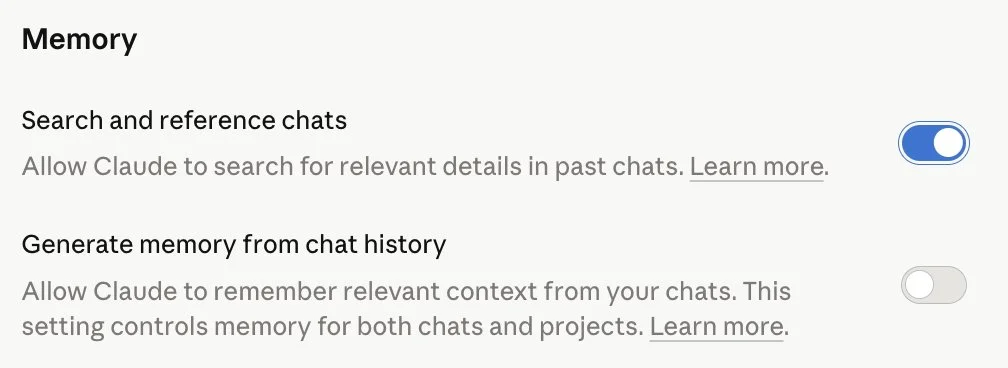
Turn both of these Memory toggles to off. (Blue is on: Allow Claude to remember and search your chats. Gray is off.)
Next: Return to “Privacy” under the Settings menu, left margin. Under Privacy Settings you’ll find Location Metadata. Turn this off if you don’t want Claude to track your location.
Finally: Under Privacy Settings, find Help Improve Claude. This is Anthropic asking your permission to use all of your chatbot questions, prompts, and responses to train its AI models. Definitely turn this off.
Chatgpt
Adjusting your account settings within ChatGPT should adjust all OpenAI products available within that account.
Sign in to your ChatGPT account. Select your account icon, lower left on your screen. Then select Settings.
Select Personalization. Scroll down to Memory. Turn off “Reference Saved Memories.”
Now: From the left-margin menu, select Data Controls. The page should look like this:
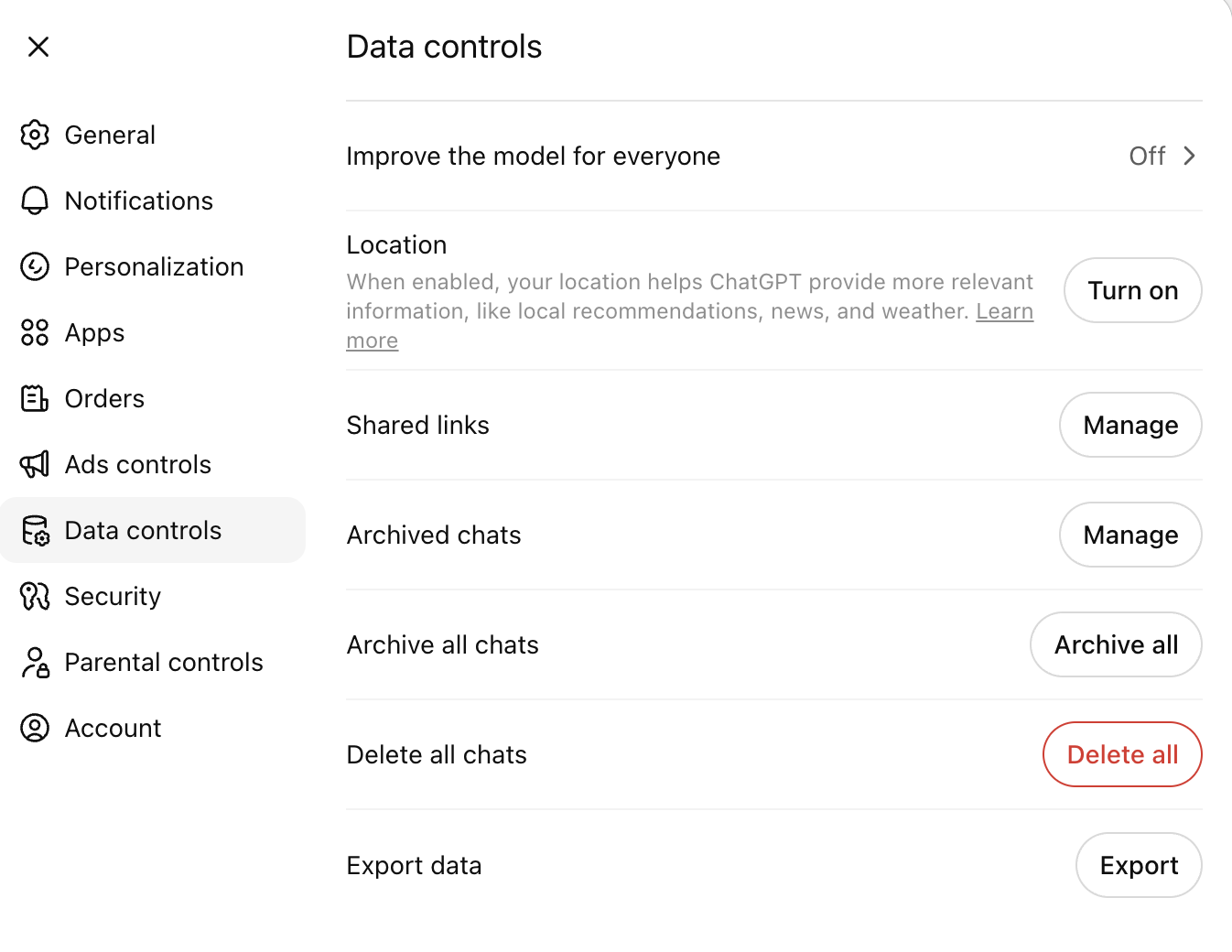
Adjust to these settings:
Improve the model for everyone: Off. (This is where OpenAI wants to use—ie, store and monetize—all your chat inputs to train its AI models.)
Delete all chats: Click the Delete All button, then click the Confirm Deletion button.
Gemini
Turn off ‘Keep Activity’
If you’re 18 or over, Keep Activity (ie, remember your chats) is on by default. Here’s how you can turn it off.
Go to gemini.google.com. Sign in to your account. Select Settings & Help (lower left). Select Activity .
Near the top, click ‘Turn off and delete activity.’ Keep confirming, it takes a couple confirmations for the adjustment to take hold.
Even when Keep Activity is off, your conversations will be saved with your account for up to 72 hours to allow Google to provide the service and process any feedback. This activity won’t appear in your Gemini Apps Activity.
Meta AI
Meta has been, historically, notoriously unwilling to let its users keep their own data private. That has not changed in the AI era. If anything, it’s gotten worse. Those who have attempted to opt out of Meta’s use of their Instagram, Facebook, and Meta AI posts and chats have been frustrated at every turn, leading to Reddit headlines like this:
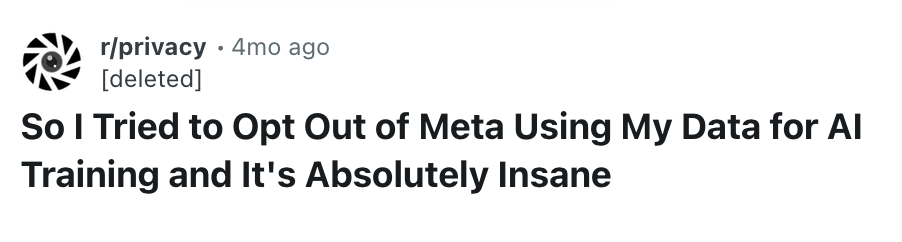
To apply for an adjusted Meta data privacy level, users must submit an objection form through the online Meta Privacy Center. EU law requires tech companies like Meta to allow users to opt out of the use of their data for AI training. There is no such law in the United States.
If you’re based in the U.S., you may submit an objection via the Privacy Center but it is unlikely to be acted upon.
With Meta, it’s best to assume everything you post on Facebook and Instagram has been and will be used to train all of Meta’s AI models. Everything entered into Meta AI as a prompt will likely be captured, stored, and used as well.
Grok AI
Data privacy settings in Grok AI are managed via the user’s X settings.
Sign in to your X account, then go to Settings > Privacy and Safety > Grok and uncheck the option allowing your posts and other inputs to be used for AI model training.
More on data privacy